Disclosure: This post contains affiliate links. If you buy through them, we may earn a small commission at no extra cost to you.
When the check engine light comes on, the first question is always the same: what is it actually complaining about? A Bluetooth OBD2 scanner plugs into your car’s diagnostic port and sends the trouble code to an app on your phone. Reading the code yourself takes a couple of minutes, and it can help you walk into a repair shop knowing what to ask, or fix a simple issue on your own.
This guide explains how these scanners work and compares three popular Bluetooth OBD2 scanners sold on Amazon. We have not lab-tested them, so the notes come from the listing specifications and common buyer needs. Compatibility depends on your phone and your car, so check the listing and the app requirements before you buy.
Quick answer
- Most features for DIY owners: BlueDriver is listed as a Bluetooth scan tool with no subscription and support for ABS, SRS and TPMS in its app.
- Simple and low cost: the Veepeak OBDCheck BLE is a compact adapter that works with a range of third-party OBD2 apps.
- Scanner plus battery test: the ANCEL BD310 is listed as a 2-in-1 tool with code reading and a battery test.

📩 Important: after you sign up, open the email from Super Car Digest and tap Confirm. Your checklist opens right away. Not there? Check Spam or Promotions.
What to Look for in a Bluetooth OBD2 Scanner
- Phone compatibility: Some adapters work with both iPhone and Android, others only with certain apps. Confirm that your phone is supported.
- App and subscriptions: Some scanners come with a free app, others rely on a third-party app that may cost extra or have paid features. Look for the words “no subscription” in the listing if that matters to you.
- Systems covered: Every OBD2 scanner reads the engine codes that turn on the check engine light. If you want to read ABS (brakes), SRS (airbag) or TPMS (tire pressure) codes, check that the scanner and app support them. Our guide to the airbag warning light shows why a dedicated reader can help.
- Live data and freeze frame: Live data shows what sensors are reporting, and freeze frame shows conditions when the fault was set. Both help with diagnosis.
- Car compatibility: OBD2 is standard on most gasoline cars sold in the US since 1996. Diesels and some other markets use different rules, so check your vehicle.
- Build and size: A small adapter that stays plugged in is convenient. Cheap clones can be unreliable, so buy from a seller you trust.
The Best Bluetooth OBD2 Scanners on Amazon
Best Feature Set
BlueDriver Bluetooth Professional OBDII Scan Tool
Best for: DIY owners who want live data, freeze frame and system coverage beyond the engine
BlueDriver is listed as a Bluetooth OBD2 scanner for iPhone and Android with no subscription and support for ABS, SRS and TPMS in its app. It is one of the better-known consumer scanners, and it is popular with people who want more than a basic code reader.
- ✅ Pros: Well-known app, extra systems beyond engine codes, no subscription according to the listing
- ⚠️ Keep in mind: It costs more than a basic adapter, and it only works with its own app
Best Simple, Low-Cost Adapter
Veepeak OBDCheck BLE Bluetooth OBD2 Scanner
Best for: drivers who want a small, inexpensive adapter and are happy to pick a third-party app
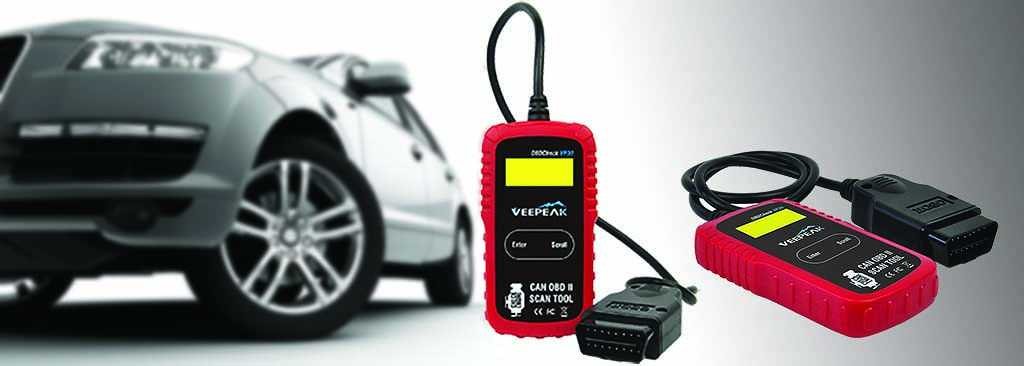
The OBDCheck BLE is a compact Bluetooth adapter aimed at iOS and Android phones. It reads the engine codes that trigger the check engine light and works with a range of OBD2 apps, some of which are free and some of which offer paid features.
- ✅ Pros: Small and easy to leave plugged in, works with many apps
- ⚠️ Keep in mind: Features depend on which app you choose, and some apps are paid
Best Scanner Plus Battery Test
ANCEL BD310 Bluetooth OBD2 Scanner
Best for: owners who want code reading plus a basic battery test in one tool
The BD310 is listed as a 2-in-1 Bluetooth scanner for iPhone and Android with code reading, battery test and trip analysis, for 1996 and newer vehicles. It is a good fit if you also want to check battery health from the same app.
- ✅ Pros: Battery test, simple setup, low cost
- ⚠️ Keep in mind: Not a professional diagnostic tool; features depend on the app and your car
How to Use an OBD2 Scanner
- Find the OBD2 port, usually under the dashboard on the driver’s side.
- With the ignition off, plug the adapter in firmly.
- Turn the ignition on (engine off or running as your app instructs) and pair the adapter in your phone’s Bluetooth settings or in the app.
- Open the app and run a scan for trouble codes.
- Write down every code, including pending codes, and look up what each one means for your car’s make and model.
What to Do After You Read a Code
A code points to a system or circuit, not always to the exact part that failed. A misfire code, for example, may be a spark plug, a coil, a fuel injector or something else. Before replacing parts, check the simple things first. A loose or worn gas cap can trigger an evaporative emissions code; see check engine light and the gas cap. If the light is flashing, that usually signals an active misfire that can damage the catalytic converter, so read what a flashing check engine light means and have the car looked at soon.
If the code points to an oxygen sensor, our O2 sensor replacement cost guide shows what that repair can cost. If you clear a code after a repair, here is how to reset the check engine light properly. Avoid clearing codes just to turn the light off, since that also erases the data a mechanic would use, and the light will usually return if the fault is still there. A scanner pairs well with a jump starter and a portable tire inflator in a basic car emergency kit.
Super Car Digest · $14
The Used Car Buying Playbook
Shopping for a used car? Most buyers overpay in four predictable places. This playbook closes every one of them. Budget worksheet, 15-minute VIN screen, test-drive routine, word-for-word negotiation scripts and a 10-point contract check.
Get the Playbook →Frequently Asked Questions
Will an OBD2 scanner work on my car?
Most gasoline cars sold in the US since 1996 have an OBD2 port. Check your car’s year and fuel type, and confirm support in the scanner listing.
Can I leave the adapter plugged in all the time?
Some adapters can stay plugged in, but a few draw a small amount of power and may drain the battery if the car sits for weeks. Check the manufacturer’s guidance, or unplug it for long storage.
Does clearing the code fix the problem?
No. Clearing a code only turns off the light. If the fault still exists, the code will usually return.
Do I need a subscription?
It depends on the product and app. Some scanners advertise no subscription, while others work with third-party apps that may charge for advanced features.
This article is general information, not professional mechanical advice. A trouble code is a starting point for diagnosis, not a final answer.